

Can it carry checkout during peak traffic?
Tablet stands usually move ordering around, but they do not carry the whole transaction when the line gets heavy.
Dedicated checkout lanes for real store traffic.Start with what the station has to carry: ordering, scanning, receipts, cash, wall fit, or floor throughput. Then pick the unit.
A screen isn't a checkout lane. Use these five questions to separate tablet-style ordering from a station that can carry real dispensary traffic.
Tablet stands usually move ordering around, but they do not carry the whole transaction when the line gets heavy.
Dedicated checkout lanes for real store traffic.Lightweight setups still push scanning back to staff or bolt it on as another fragile device.
Scanner paths are planned into the kiosk hardware.Counter-first workflows keep printing somewhere else, forcing another handoff before the customer is done.
Receipts stay with supported kiosk models.Most self-service concepts break down here and send cash back to the counter.
Yes, with Giosk 32 Cash configured with the optional cash recycler.Stores get stuck between software, device, network, and internal teams with no single owner.
One accountable deployment team.Once the lane requirements are clear, the model choice gets much simpler.
These third-party benchmarks aren't Dispensify guarantees. They show why the kiosk decision should include throughput, basket size, and product discovery, not just screen size.
Dispense reported self-service kiosk orders averaging $25 more than walk-up orders.
DispenseFlowhub's 2026 report says online AOV was 35% higher than walk-in AOV.
Flowhub trendsFlowhub also reported digital carts 44% larger than physical baskets.
Flowhub trendsUse the lineup to shortlist. Keep the matrix below for side-by-side details, or review the kiosk hub and custom builds if the standard models don't map cleanly.
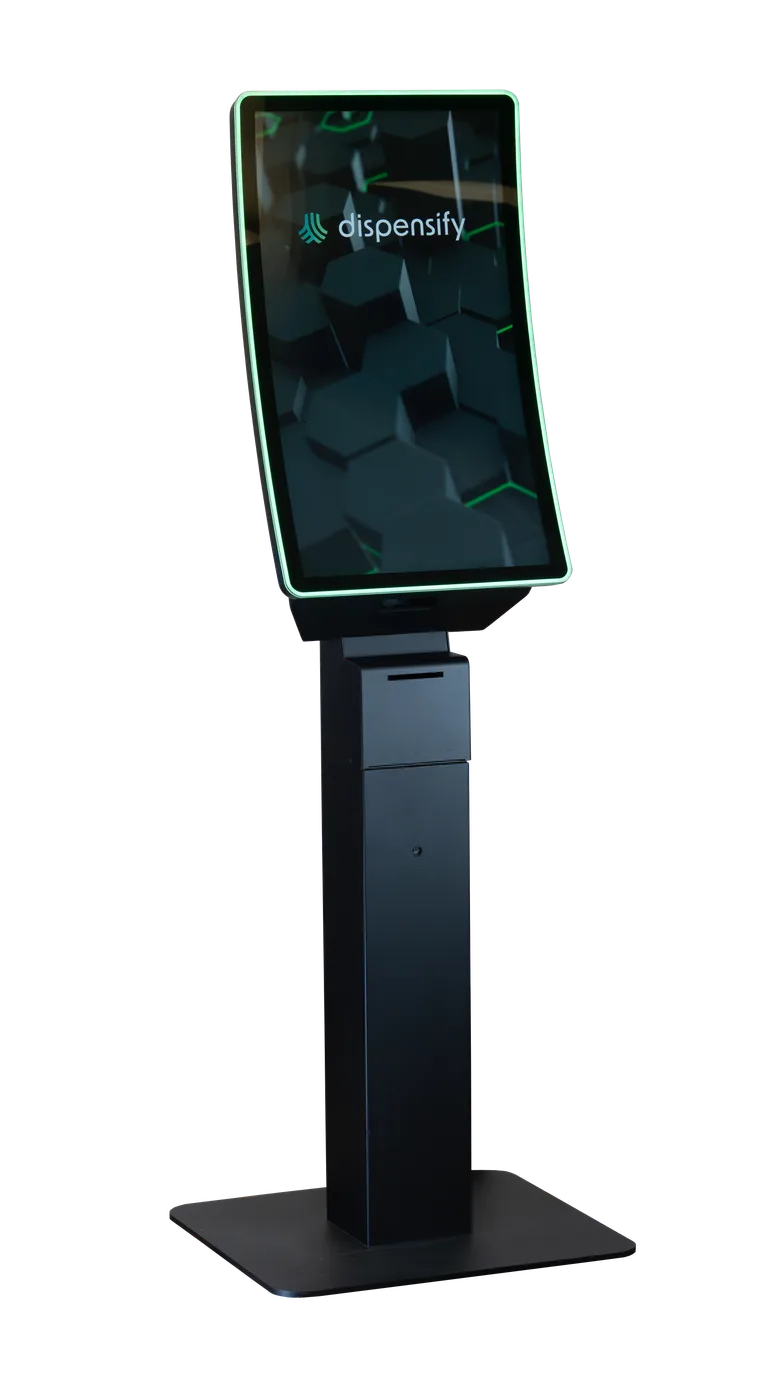 Giosk 32CF68″ tall
Use the Giosk 32CF when you want a freestanding self-service lane with scanner, receipt printer, payment-ready hardware, LED accent, and idle-screen media in one station.
Before you choose: Confirm you have room for a dedicated floor lane. If the path is tight, Giosk 32CW may be the cleaner fit.
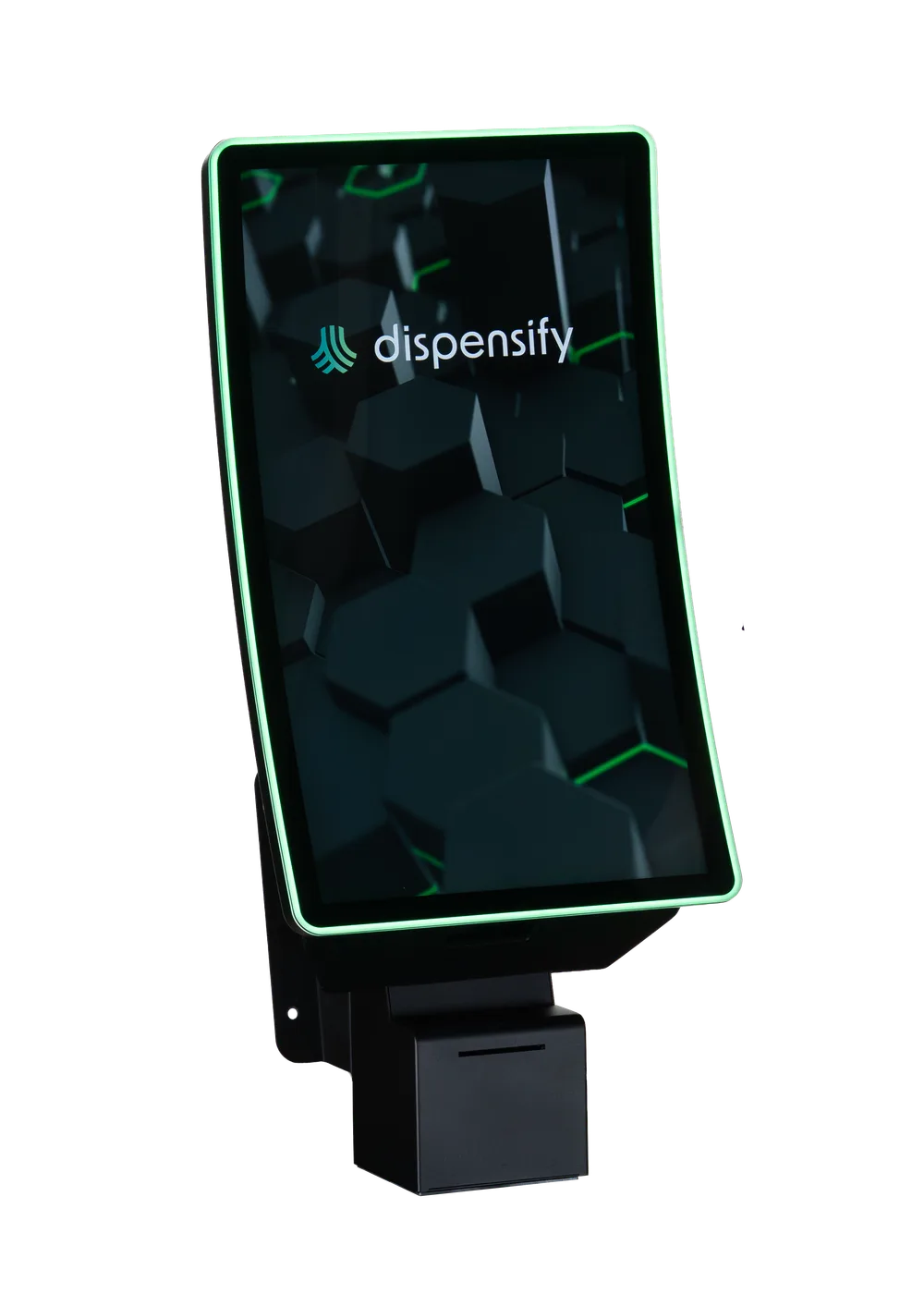 Giosk 32CWWall-mounted
Use the Giosk 32CW when self-service belongs on a perimeter wall, near pickup, or anywhere a floor pedestal would interrupt traffic.
Before you choose: Choose this when the wall location keeps ordering close without interrupting the walking path. If you want a freestanding lane, compare Giosk 32CF.
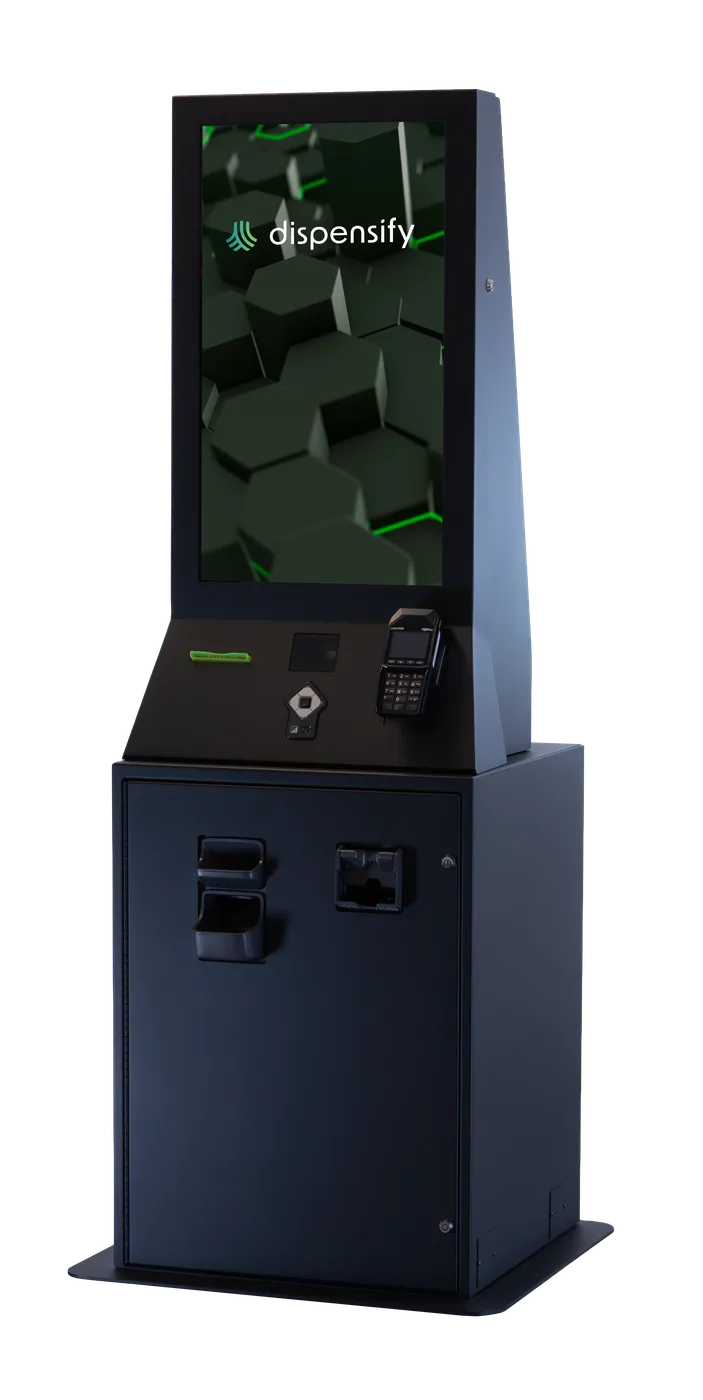 Giosk 32 Cash70″ tall
Choose the optional cash recycler on Giosk 32 Cash when bill acceptance and change return need to stay in the self-service lane.
Before you choose: Choose this when cash is a real checkout requirement. If most orders run through card or debit, start with Giosk 32CF or Giosk 32CW.
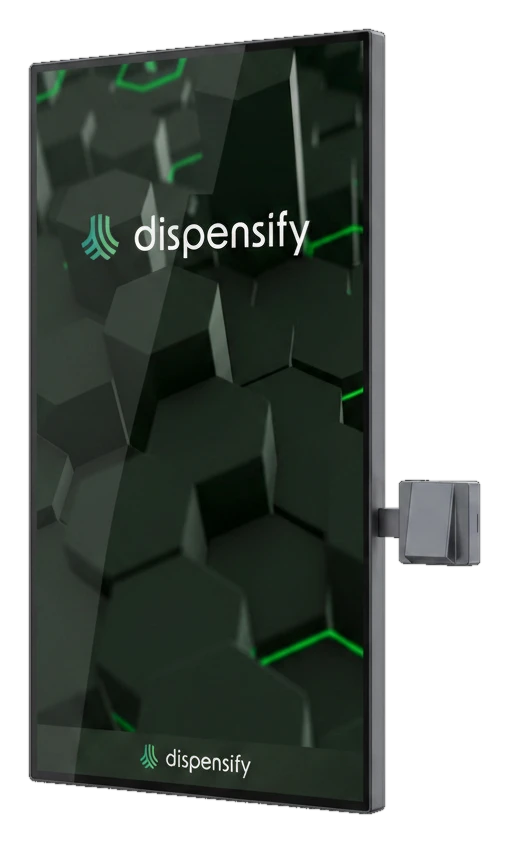 Giosk 43W32″ / 43″ wall system
Use the Giosk 43W when the wall is the right placement and the store wants a larger customer-facing display with integrated scanning.
Before you choose: Choose this when the store needs a larger wall-mounted ordering surface. If 32 inches is enough, compare Giosk 32CW.
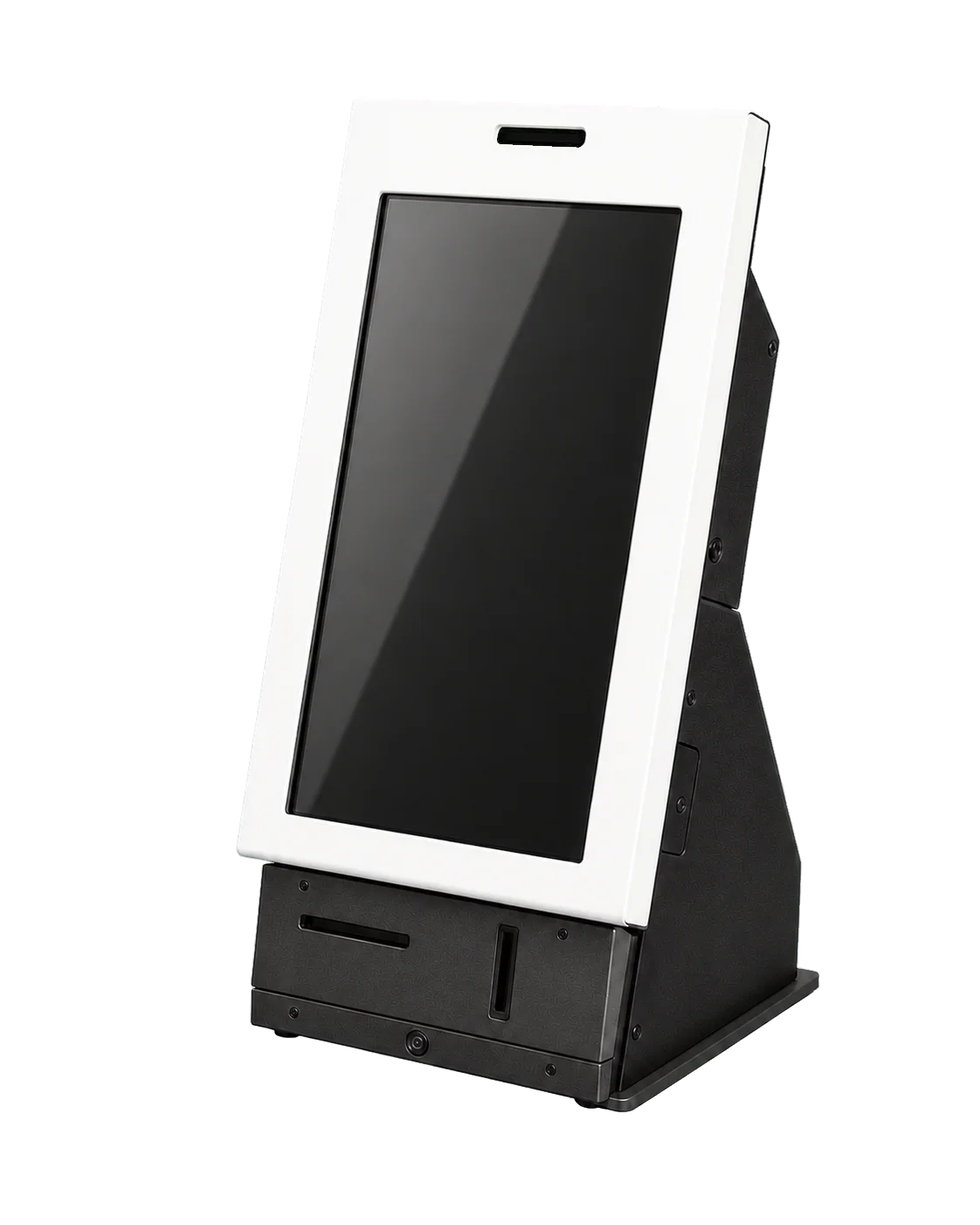 Giosk FROG (Coming Soon)Coming Soon
Coming soon: use Giosk FROG when lobby check-in, ID data parsing, queueing, and customer profile handoff should happen before the shopper reaches a budtender or ordering kiosk.
Before you choose: Choose this when intake has to happen before ordering starts. It's a coming-soon model for lobby verification and handoff, not a checkout lane.
Use this as the final fit check after you know the checkout job.
| Decision point | Giosk 32CF | Giosk 32CW | Giosk 32 Cash | Giosk 43W | Giosk FROG (Coming Soon) |
|---|---|---|---|---|---|
| Primary job | High-throughput self-service lane | Wall-mounted ordering with no pedestal | Optional cash intake, change, and reconciliation | Large-format wall ordering | Lobby check-in, ID data parsing, and queue handoff |
| Footprint | Floor-standing pedestal | Wall-mounted, zero floor footprint | Floor-standing cash cabinet | Wall-mounted, zero floor footprint | Countertop lobby station |
| Screen format | 32-inch curved touchscreen | 32-inch wall-mounted touchscreen | 32-inch flat touchscreen | 32-inch or 43-inch wall touchscreen compatibility | 21-inch PCAP touchscreen |
| Payment path | Payment workflow capability, arm options in configurator | Integrated payment workflow with optional arm variants | Optional EMV card-payment system with cash workflow | Configured during project scoping | Not a payment lane, built for intake handoff |
| Cash handling | Standard non-cash checkout lane | Standard non-cash wall lane | Optional cash recycler for cash intake and change | Standard non-cash wall lane | Not a cash-handling kiosk |
| Best next step | Configure Giosk 32CF | Configure Giosk 32CW | Review cash automation | Request Giosk 43W fit review | Review Giosk FROG coming-soon details |
Still not obvious? Start a capacity review and we’ll map the model mix to your floor, cash share, and peak traffic.
Use these answers to narrow floor unit, wall unit, cash unit, or custom path.
Start with Giosk 32 Cash and its optional cash recycler when cash intake and change handling should move into the kiosk lane.
Choose a wall-mounted model like Giosk 32CW or Giosk 43W when floor space is tight or ordering belongs on the perimeter. Choose a floor-standing model like Giosk 32CF when you want a visible checkout lane with stronger kiosk presence.
If the standard lineup doesn't match your floor, payment workflow, brand requirements, or installation requirements, review custom kiosks or start a capacity review with the Dispensify team.
Keep planning: use the dispensary kiosk comparison guide, map how kiosks fit your floor, or review the Checkout Fast Lane. Planning more than one store? Review how to standardize checkout, cash, and kiosks across locations.
Tell us how customers move through your store, how you take payment, and where the counter slows down. We’ll help narrow the model fit.