
Flowhub reports that many dispensaries lose nearly half of first-time shoppers after one purchase.
Flowhub retentionDispensify Kiosk OS
The customer-facing software and workflow layer behind Dispensify kiosks: home screen flow, menu sync, loyalty context, product discovery, recommendations, checkout, payments, POS handoff, reporting, and remote kiosk management.
The Customer Journey Layer Over Your POS
Dispensify Kiosk OS does not replace the POS. It sits above the POS as the customer journey layer, turning the kiosk into a guided path from welcome screen to product discovery, checkout, payment, POS sync, and reporting.
Turn First Visits Into Repeat Visits
A first purchase is not the win if the shopper never comes back. Dispensify Kiosk OS gives the kiosk a role in retention: customer lookup, loyalty enrollment, rewards context, product recommendations, payment, and post-checkout handoff in one customer-facing flow.
Flowhub data says loyalty members spend 3.5x more annually than one-time buyers.
Flowhub loyaltyThe same Flowhub loyalty analysis says members visit 40% more often and are 5x more likely to try new products.
Flowhub loyaltyFlowhub's 2026 retail trends report says digital carts were 44% larger than physical baskets.
Flowhub trends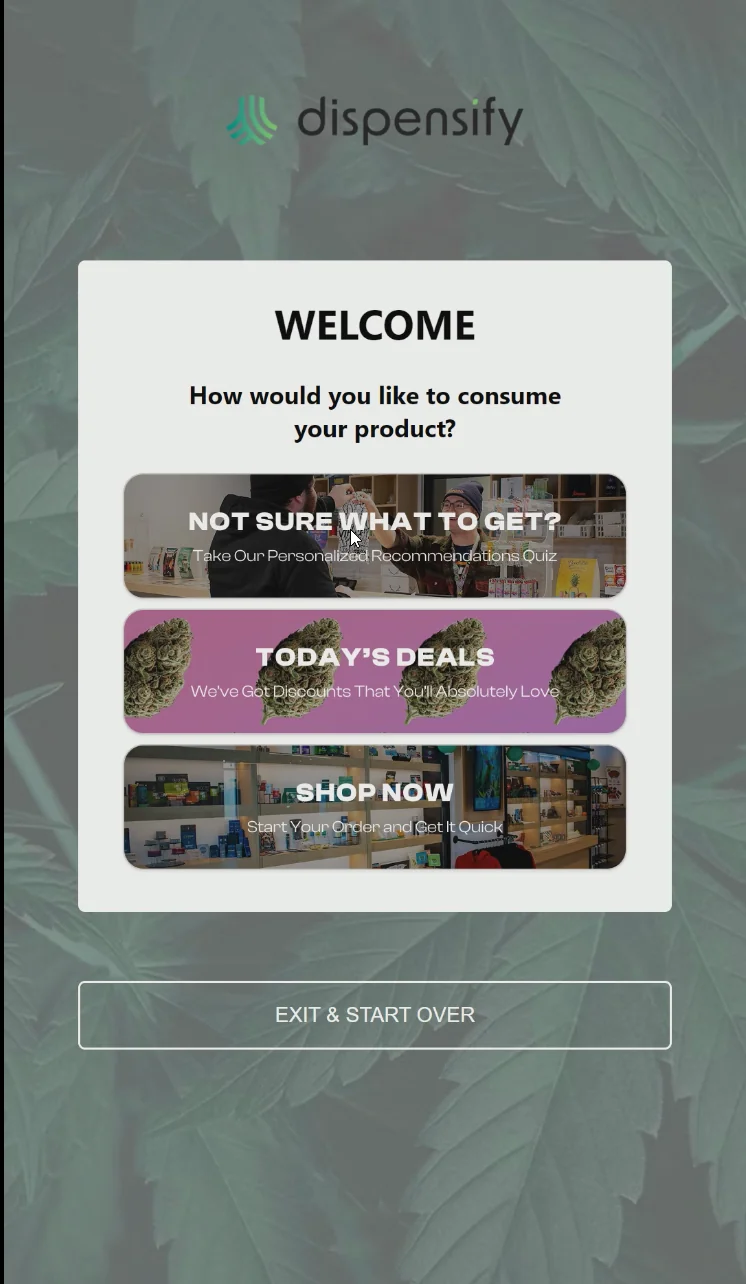
Start the Order on the Home Screen
Customers should be able to start with a clean self-service flow while the store keeps menu, payment, receipt, fulfillment, and staff handoff rules connected behind the scenes.
Bonus: When the kiosk is idle, the screen can also act as a programmable in-store media surface for store branding, product placements, house promotions, or paid advertising before the customer walks up.
POS, Loyalty, and Profile Fit
Before a kiosk goes live, the software flow needs to match the POS, menu, loyalty, customer profile, and order-source setup the store already uses.
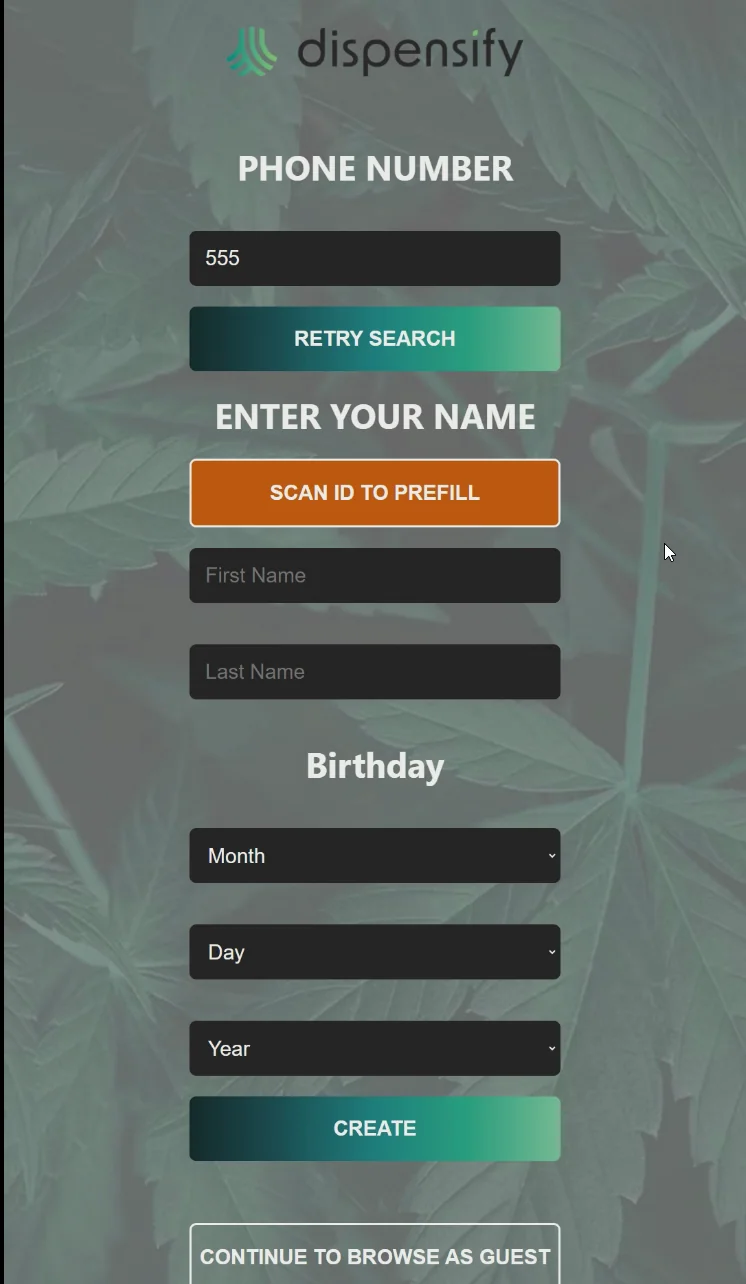
Loyalty Lookup
Returning customers should be able to identify themselves, carry profile context into the shopping path, and move through checkout without forcing staff to rebuild the customer record at the counter.
Customer Profiles
Profile-aware ordering gives the store a cleaner path for loyalty enrollment, customer history, targeted offers, and post-checkout retention work. When ID scanning is part of the workflow, Dispensify Kiosk OS can use the scan to pre-populate customer information and reduce manual entry before the shopper continues.
Product Discovery, Recommendations, and Upsells
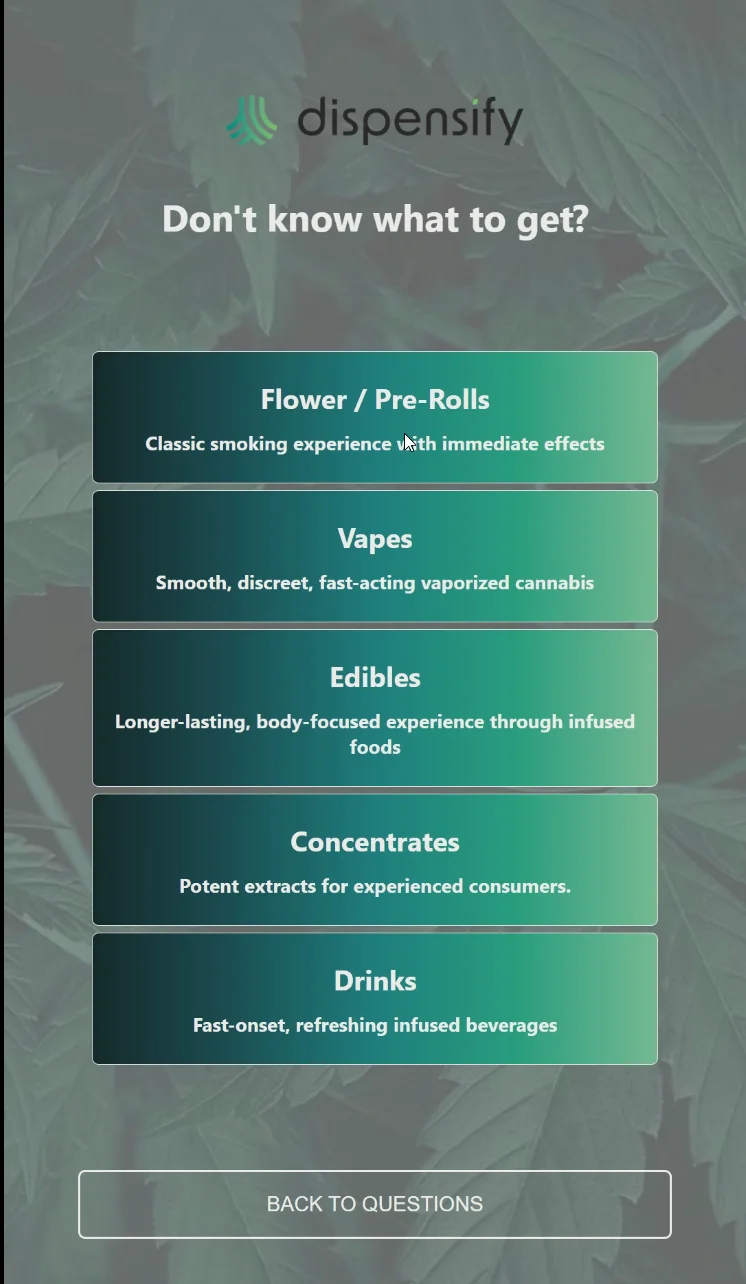
Customer Context
A kiosk flow can surface product details, categories, effects, potency, cart prompts, and loyalty context in a way customers can browse without slowing the counter.
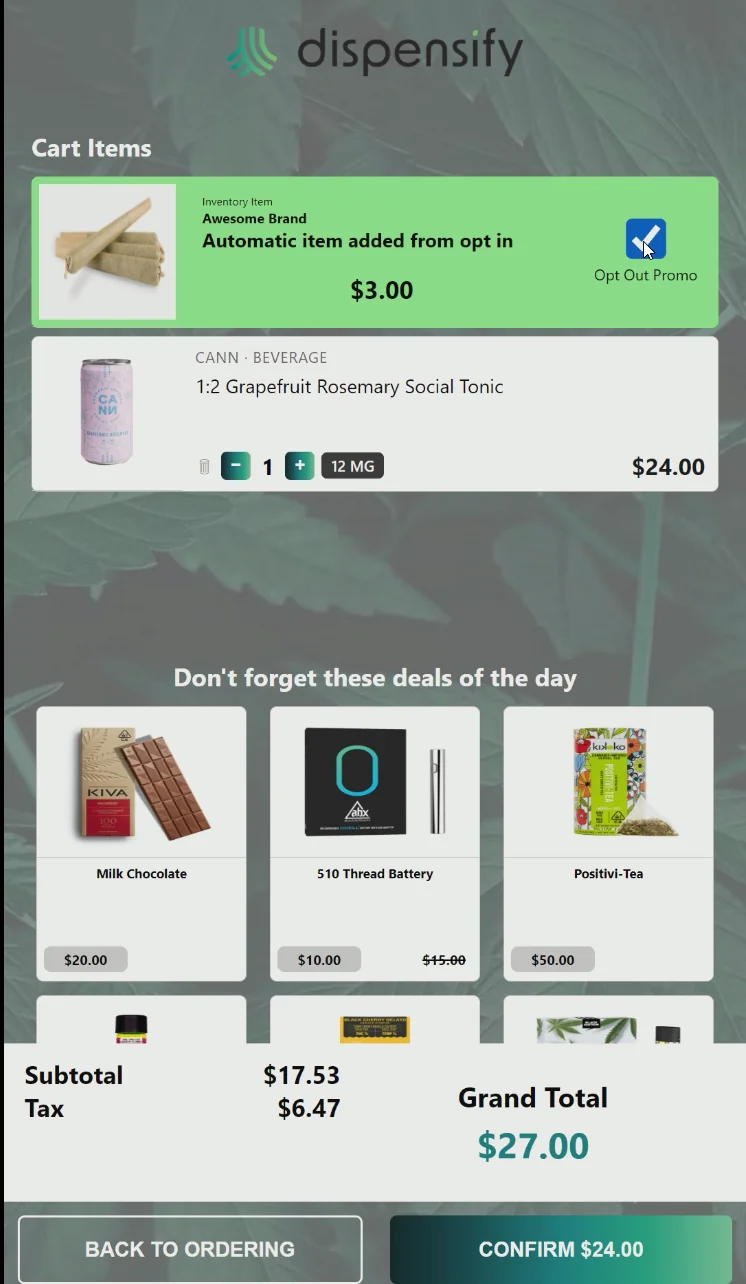
Add-ons and Promotions
Bundles, promotions, related products, and sponsored placements should be configured around the store’s menu and compliance rules rather than bolted onto the checkout screen later.
Faster, Compliant Checkouts
ID Scanning
ID scanning, order flow, and staff oversight need to work together so self-service can reduce counter load without weakening the compliance workflow.
Payment and Cash Paths
Payment hardware, cash handling, receipt printing, and reconciliation should be mapped before launch so the kiosk does not send customers back to the register.
Reporting and Remote Kiosk Management
Once the kiosk is live, the store needs visibility into what customers do on the screen, which stations are online, how orders move through the flow, and what needs attention before a floor issue becomes a support ticket.
- Kiosk activity and order-source visibility
- Product, category, and promotion performance context
- Remote content and configuration support
- Store-level workflow reporting for multi-location teams
Configuration planning
Spec it for your floor.
Tell us which unit, payment path, cash workflow, and site constraints you’re working with. We’ll help map the setup before you commit.