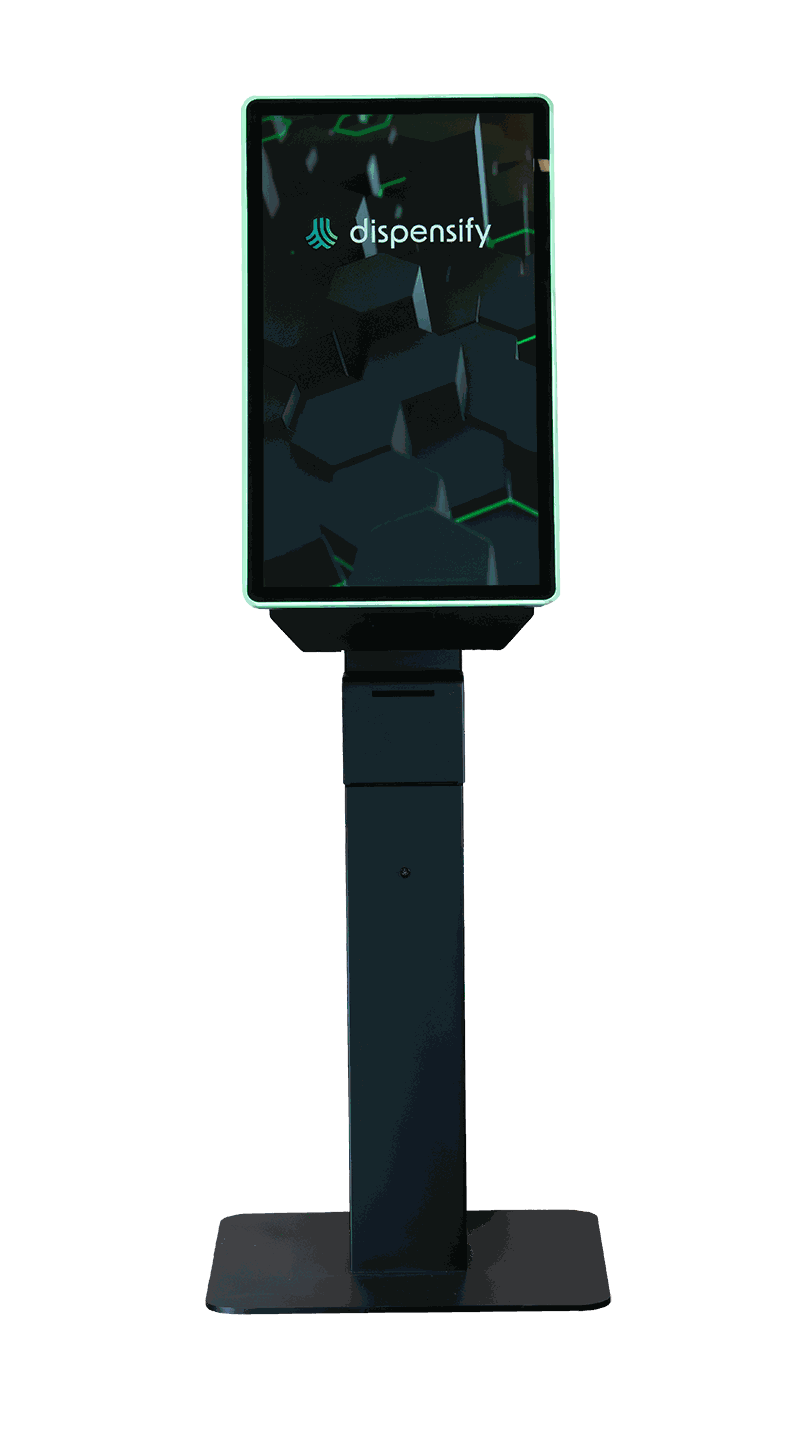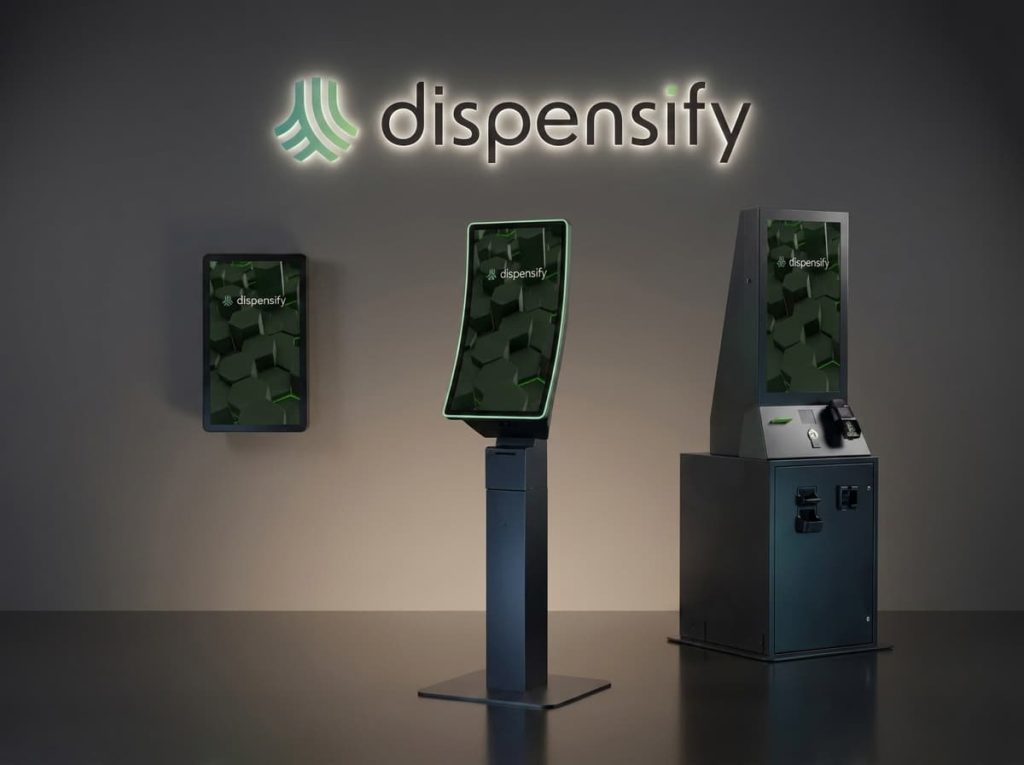
A dispensary kiosk is a customer-facing self-service ordering station for cannabis retail. It lets customers browse products, verify ID, place orders, and complete checkout with less staff intervention, while connecting to the store’s existing POS, inventory, and fulfillment workflow.
Dispensify’s dispensary kiosks are engineered specifically for cannabis retail environments, not adapted from other industries. Whether you need self-service kiosks for a single storefront or modular cannabis kiosk systems for multi-store expansion, our hardware helps teams handle higher volumes without added friction.
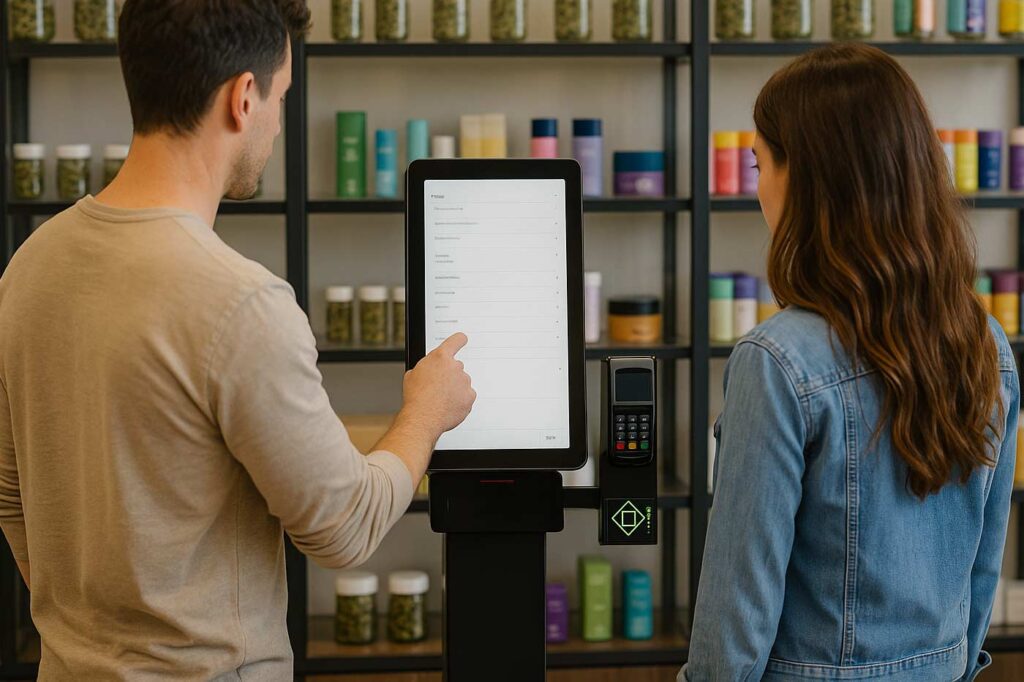
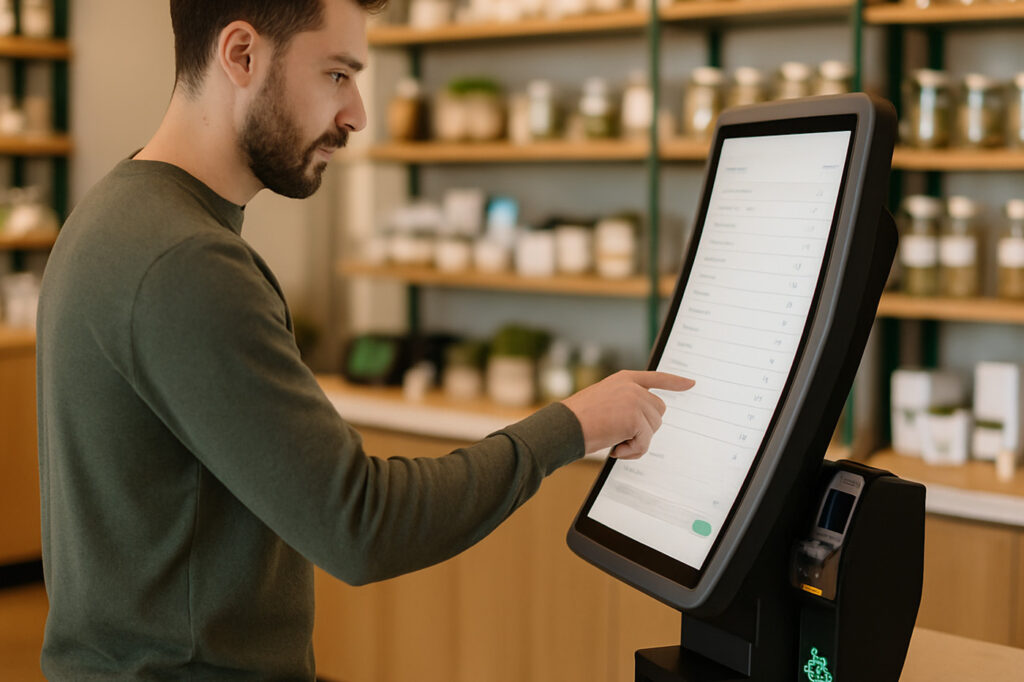
A well-deployed dispensary kiosk does more than speed up checkout. It changes how customers move through the store, how staff spend their time, and how operators see what’s happening on the floor. Customers browsing on a kiosk shop differently than at a budtender-paced counter. They take more time, ask fewer questions, and add more to their cart when they can see product details (terpene profiles, potency, effects, recommendations) at their own pace.
For staff and operators, kiosks shift the workload and unlock visibility. Budtenders move from order entry and cashier work to product expertise and complex orders. Every order is digital, every transaction is logged, and reporting on product performance, peak times, and customer behavior becomes immediate. Pair that with age verification, purchase limit enforcement, and audit-ready records, and the compliance side gets stronger too.
Dispensify kiosks fit into multiple points in the customer journey. Operators typically deploy them in one or more of these configurations:
Available in floor pedestal, wall-mounted, and countertop configurations, our kiosks adapt to any retail footprint.
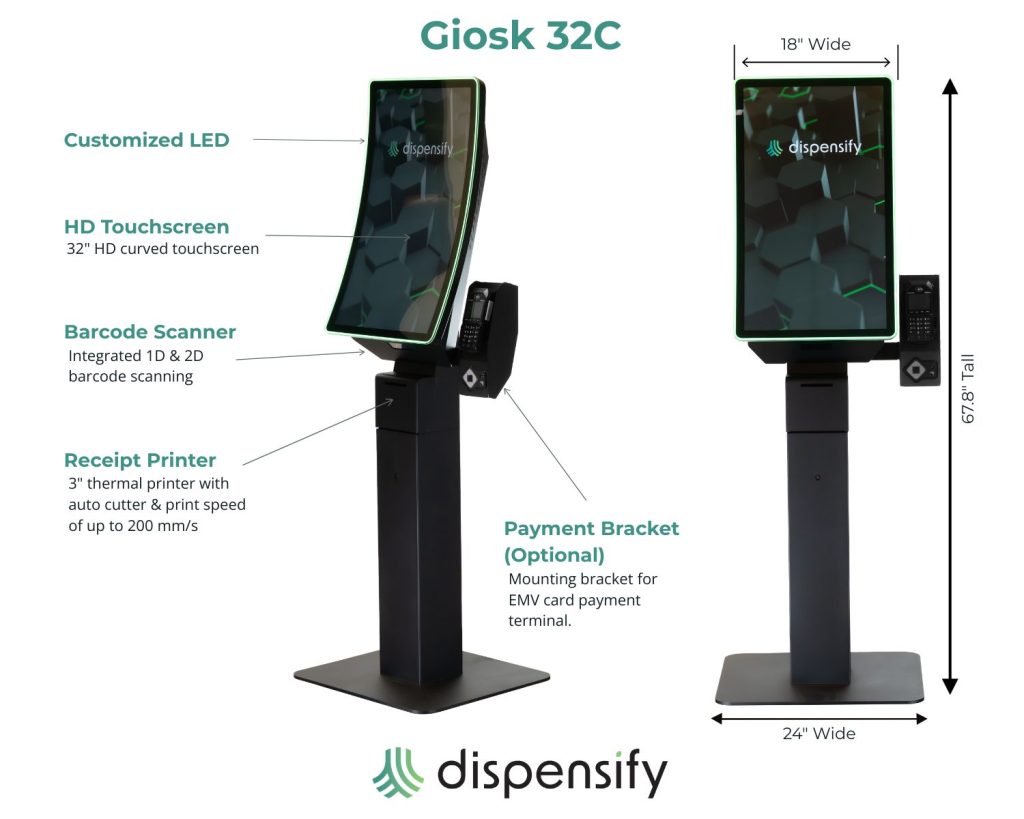
Choose from 21.5”, 27”, 32”, 43” or 50” touchscreens, including a sleek curved panel with LED halo branding on the Giosk 32.
3” thermal printer with auto-cutter and print speed of up to 200 mm/s—built for speed and accuracy at checkout.
1D and 2D barcode scanners are included for ID verification, loyalty card management, and product interactions.
Built-in compatibility for tipping and payment prompts, fully integrated with Dispensify’s automation tools.
Each kiosk ships mapped to your store layout, with ADA panel integration and mounting specs handled by our team.
Designed and manufactured in the United States, these kiosks are built for constant use in high-volume cannabis retail environments.
Modernize your dispensary with a premium 32″ curved self-service kiosk built for cannabis retail. This dispensary kiosk simplifies age verification, product browsing, and checkout to boost speed, compliance, and sales.
Features a curved HD touchscreen, 1D/2D ID and product scanner, thermal printer with auto-cutter, and secure EMV card-payment capability – all in a durable steel body with LED accents and powered by Windows 11.
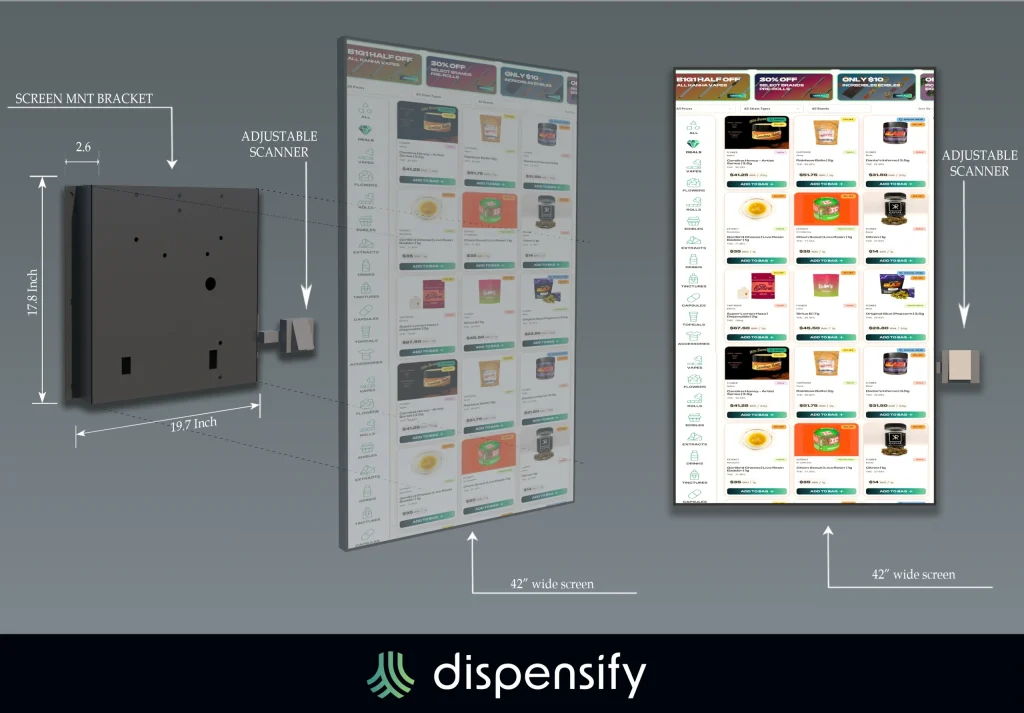
Introducing our latest self-service dispensary kiosk system, designed for 32″ or 43″ touchscreens. With a built-in 1D/2D scanner and compact PC housing, customers can browse products, scan IDs, and place orders fast.
Deploy a modern cannabis kiosk experience with your screen of choice, and easily upgrade existing kiosks with this new wall-mounted system.
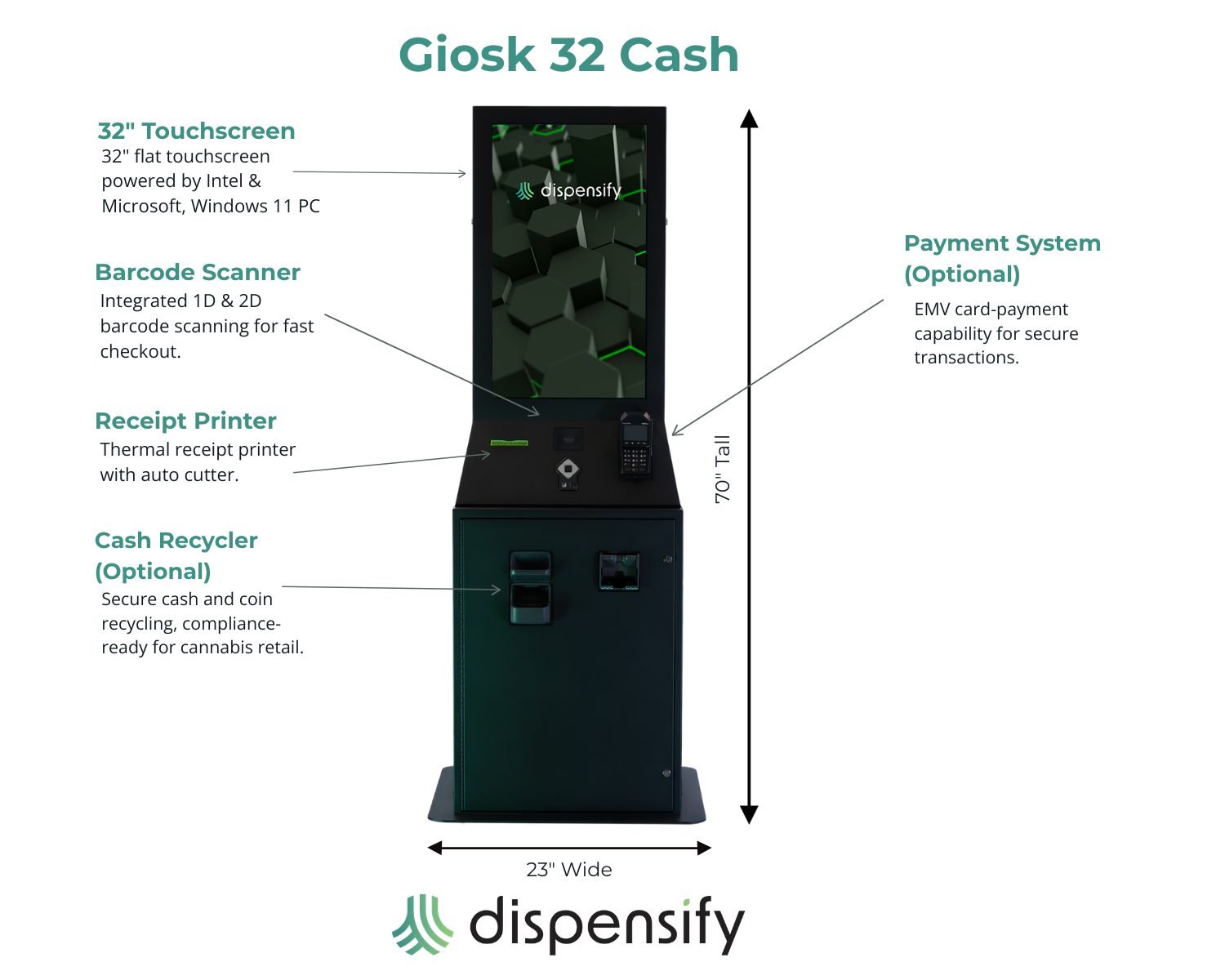
The Giosk 32 Cash is built for dispensaries that need integrated cash automation at the kiosk. It supports secure cash and coin recycling, barcode scanning, EMV card-payment capability, and thermal receipt printing, all in a single self-service unit. For buyers asking about a “kiosk that dispenses cash,” this is the product.
Features include a 32″ flat touchscreen, barcode scanner, Windows 11 PC, and compliance-ready cash handling for cannabis retail.
A self-service kiosk is only useful if the order, payment, receipt, and fulfillment workflow fits how your store operates. That means menu sync, inventory accuracy, order routing, and a clean handoff between the kiosk and whoever is filling the order.
Dispensify handles the practical side of that fit: network alignment, POS configuration, and field testing before the kiosk goes live. We work with your existing infrastructure rather than asking you to rebuild around the kiosk.
If you’re evaluating kiosks alongside Dutchie, AIQ, Flow Hub, Dispense, or another POS or back-office platform, request a consultation and we’ll walk through fit before you commit to anything.
For stores looking at a broader system upgrade, the Dispensary POS Integration page covers what we support on the POS side.
Dispensify manages the complete delivery, installation, and support process. Kiosks are shipped pre-configured to your infrastructure and store layout, ready to install and start running.
Our team handles everything from network alignment to POS integration and field testing. If anything breaks, slows down, or needs updating, you’ll talk to the same team that deployed your system, not a rotating help desk.
Multi-location operators should also decide whether each store needs the same configuration or whether traffic patterns at different stores call for different setups.
A customer-facing ordering station for cannabis retail. Customers can browse products, scan IDs or products, place orders, print receipts, and move through checkout with less staff help.
Yes. Current options include the Giosk 32C, Giosk 43 Wall Mount, and Giosk 32 Cash, in floor pedestal, wall-mounted, and countertop configurations.
Yes. The Giosk 43 Wall Mount is designed for 32 inch or 43 inch touchscreens, with an integrated scanner and a compact PC housing. Placement should be reviewed for access, traffic flow, and installation requirements.
The Giosk 32 Cash is the relevant product. It supports secure cash and coin recycling, barcode scanning, card-payment capability, and receipt printing.
We map the kiosk to your store’s existing infrastructure, POS workflow, and network setup, then field-test before launch. If you’re using Dutchie, AIQ, Flow Hub, Dispense, or another platform, request a consultation to confirm fit.
Implementation timelines depend on configuration, integration scope, and site readiness. Request a demo and we’ll walk through a realistic timeline for your store.
Cost depends on screen size, form factor, payment hardware, scanner needs, cash automation, installation, and support scope. Request a demo and we’ll put together a quote based on what your store actually needs.
The next step is to match the kiosk configuration to your floor plan, checkout workflow, POS environment, and support needs. Request a demo and we’ll walk through the right setup for your store, whether that’s self-order kiosks, wall-mounted units, cash-accepting kiosks, or a custom build.